Saturday, 28 August 2021

Go Language Syntax

Go Syntax

A Go file consists of the following parts:

  • Package declaration
  • Import packages
  • Functions
  • Statements and expressions

Look at the following code, to understand it better:

Example

package main
import ("fmt")

func main() {
  fmt.Println("Hello World!")
}

Example explained

Line 1: In Go, every program is part of a package. We define this using the package keyword. In this example, the program belongs to the main package.

Line 2: import ("fmt") lets us import files included in the fmt package.

Line 3: A blank line. Go ignores white space. Having white spaces in code makes it more readable.

Line 4: func main() {} is a function. Any code inside its curly brackets {} will be executed.

Line 5: fmt.Println() is a function made available from the fmt package. It is used to output/print text. In our example it will output "Hello World!".

Note: In Go, any executable code belongs to the main package.


Go Statements

fmt.Println("Hello World!") is a statement.

In Go, statements are separated by ending a line (hitting the Enter key) or by a semicolon ";".

Hitting the Enter key adds ";" to the end of the line implicitly (does not show up in the source code).

The left curly bracket { cannot come at the start of a line.

Run the following code and see what happens:

Example

package main
import ("fmt")

func main()
{
  fmt.Println("Hello World!")
}


Go Compact Code

You can write more compact code, like shown below (this is not recommended because it makes the code more difficult to read):

Example

package main; import ("fmt"); func main() { fmt.Println("Hello World!");}


How to Go Install?

 You can find the relevant installation files at https://golang.org/dl/.

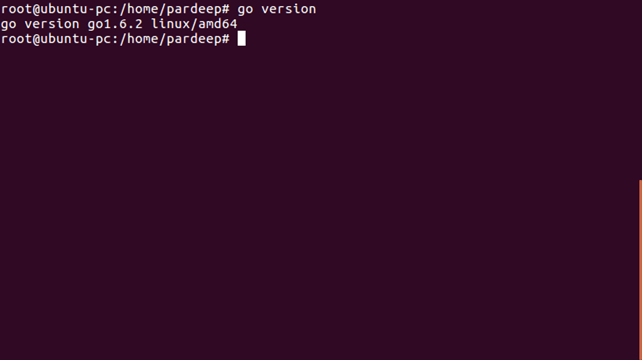
Follow the instructions related to your operating system. To check if Go was installed successfully, you can run the following command in a terminal window:

go version

Which should show the version of your Go installation.


Go Install IDE

An IDE (Integrated Development Environment) is used to edit AND compile the code.

Popular IDE's include Visual Studio Code (VS Code), Vim, Eclipse, and Notepad. These are all free, and they can be used to both edit and debug Go code.

Note: Web-based IDE's can work as well, but functionality is limited.

We will use VS Code in our tutorial, which we believe is a good place to start.

You can find the latest version of VS Code at https://code.visualstudio.com/.


Go Quickstart

Let's create our first Go program.

  • Launch the VS Code editor
  • Open the extension manager or alternatively, press Ctrl + Shift + x
  • In the search box, type "go" and hit enter
  • Find the Go extension by the GO team at Google and install the extension
  • After the installation is complete, open the command palette by pressing Ctrl + Shift + p
  • Run the Go: Install/Update Tools command
  • Select all the provided tools and click OK

VS Code is now configured to use Go.

Open up a terminal window and type:

go mod init example.com/hello

Do not worry if you do not understand why we type the above command. Just think of it as something that you always do, and that you will learn more about in a later chapter.

Create a new file (File > New File). Copy and paste the following code and save the file as helloworld.go (File > Save As):

helloworld.go

package main
import ("fmt")

func main() {
  fmt.Println("Hello World!")
}

Now, run the code: Open a terminal in VS Code and type:

go run .\helloworld.go
Hello World!

Congratulations! You have now written and executed your first Go program.

If you want to save the program as an executable, type and run:

go build .\helloworld.go

Learning Go At W3Schools

When learning Go at W3Schools.com, you can use our "Try it Yourself" tool. It shows both the code and the result. This will make it easier for you to understand every part as we move forward:

helloworld.go

Code:

package main
import ("fmt")

func main() {
 fmt.Println("Hello World!")
}

Result:

Hello World!

Friday, 27 August 2021

Go Compared to Python and C++

What is Go?

  • Go is a cross-platform, open source programming language
  • Go can be used to create high-performance applications
  • Go is a fast, statically typed, compiled language that feels like a dynamically typed, interpreted language
  • Go was developed at Google by Robert Griesemer, Rob Pike, and Ken Thompson in 2007
  • Go's syntax is similar to C++

What is Go Used For?

  • Web development (server-side)
  • Developing network-based programs
  • Developing cross-platform enterprise applications
  • Cloud-native development

Why Use Go?

  • Go is fun and easy to learn
  • Go has fast run time and compilation time
  • Go supports concurrency
  • Go has memory management
  • Go works on different platforms (Windows, Mac, Linux, Raspberry Pi, etc.)

Go Compared to Python and C++

GoPythonC++
Statically typedDynamically typedStatically typed
Fast run timeSlow run timeFast run time
CompiledInterpretedCompiled
Fast compile timeInterpretedSlow compile time
Supports concurrency through goroutines and channelNo built-in concurrency mechanismSupports concurrency through threads
Has automatic garbage collectionHas automatic garbage collectionDoes not have automatic garbage collection
Does not support classes and objectsHas classes and objectsHas classes and objects
Doe not support inheritanceSupports inheritanceSupports inheritance

Notes:

  • Compilation time refers to translating the code into an executable program
  • Concurrency is performing multiple things out-of-order, or at the same time, without affecting the final outcome
  • Statically typed means that the variable types are known at compile time

Tuesday, 24 August 2021

How to Installation Go Language?

 You can install Go programming on different operating systems like Windows, Linux, Mac etc. This is a link of binary distribution of the Go programming for FreeBSD (release 8-STABLE and above), Linux, Mac OS X (10.8 and above), and Windows operating systems for the 32-bit (386) and 64-bit (amd64) architectures.

If you do not found configuration of your combination, try installing from source or installing gccgo instead of gc.

In Windows

  • Choose the required archive file for Windows installation.
  • Download zip file and extract it into the directory (Like c:\Go).
  • If you have choosed a different directory other than c:\Go, you must set the GOROOT environment variable to your chosen path.
  • Add the bin subdirectory of your Go root (for example, c:\Go\bin) to your PATH environment variable.

In Linux

  • We should choose the required archive file for installation. For Example, if we are installing Go version 1.6.1 for 64-bit x86 on Linux, the archive would be go1.2.1.linux-amd64.tar.gz.
  • Now download the archive and extract it in /usr/local directory. We need to create a Go tree in /usr/local/go directory through following command:
  1. tar -C /usr/local -xzf go$VERSION.$OS-$ARCH.tar.gz  
  • To set path, add /usr/local/go/bin to the PATH environment variable. We can do this by adding following line to the command line:
  1. export PATH=$PATH:/usr/local/go/bin  


In Mac OS X

  • Choose the required archive file for Mac installation.
  • Open the downloaded package file, and follow the prompts to install the Go tools. The package installs the Go distribution to /usr/local/go.
  • The package should locate the /usr/local/go/bin directory to your PATH environment variable. You may need to restart the opened terminal sessions to make the change.

Go Installation in Ubuntu

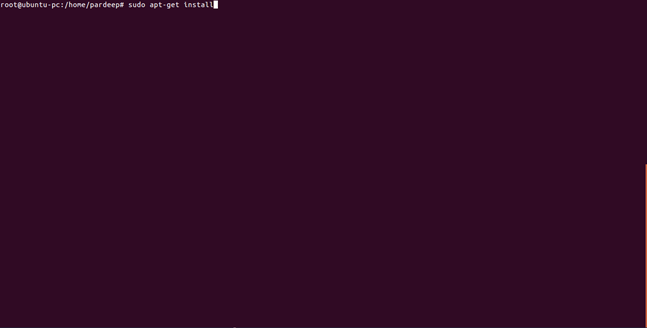
Step 1: Run the command sudo apt-get install golang

Go Installation 1
Go Installation 2

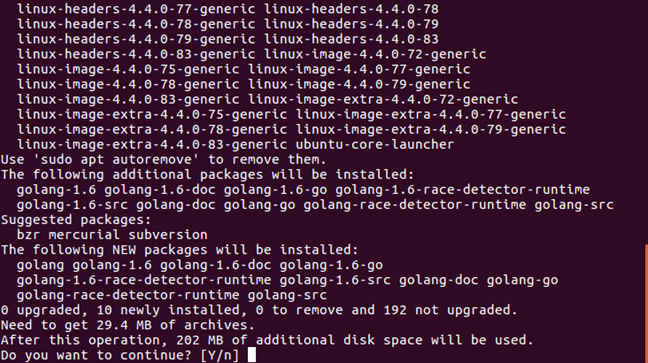
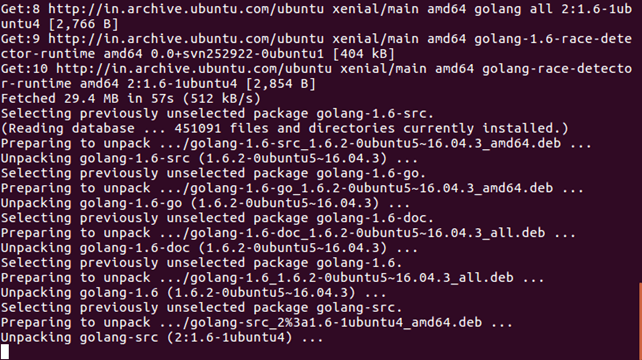
Step 2: Press 'y' when you asked

Go Installation 3
Go Installation 4

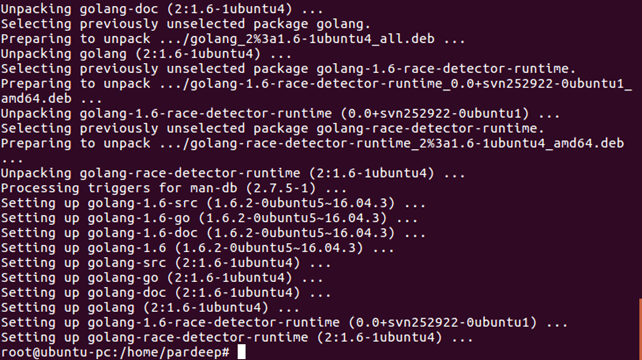
Now, Go installation is done, You can check the version by the command: go version.

Go Installation 5

What Go language?

 Go is a general-purpose language designed with systems programming in mind. It was initially developed at Google in the year 2007 by Robert Griesemer, Rob Pike, and Ken Thompson. It is strongly and statically typed, provides inbuilt support for garbage collection, and supports concurrent programming.

Programs are constructed using packages, for efficient management of dependencies. Go programming implementations use a traditional compile and link model to generate executable binaries. The Go programming language was announced in November 2009 and is used in some of the Google's production systems.

Features of Go Programming

The most important features of Go programming are listed below −

  • Support for environment adopting patterns similar to dynamic languages. For example, type inference (x := 0 is valid declaration of a variable x of type int)

  • Compilation time is fast.

  • Inbuilt concurrency support: lightweight processes (via go routines), channels, select statement.

  • Go programs are simple, concise, and safe.

  • Support for Interfaces and Type embedding.

  • Production of statically linked native binaries without external dependencies.

Features Excluded Intentionally

To keep the language simple and concise, the following features commonly available in other similar languages are omitted in Go −

  • Support for type inheritance

  • Support for method or operator overloading

  • Support for circular dependencies among packages

  • Support for pointer arithmetic

  • Support for assertions

  • Support for generic programming

Go Programs

A Go program can vary in length from 3 lines to millions of lines and it should be written into one or more text files with the extension ".go". For example, hello.go.

You can use "vi", "vim" or any other text editor to write your Go program into a file.


The basic structure of a Go programs consists of following parts:-

  • Package Declaration
  • Import Packages
  • Variables
  • Statements and Expressions
  • Functions
  • Comments

Go Example

Let's see a simple example of Go programming language.

  1. package main  
  2. import "fmt"  
  3. func main() {  
  4.    fmt.Println("Hello, Santosh Kumar Singh")  
  5. }  

Output:

Hello, Santosh Kumar Singh

Wednesday, 16 June 2021

This set of the following Multiple Choice Questions (MCQ's) focuses on the Cloud Computing Architecture.

 1) Cloud computing architecture is a combination of?

  1. service-oriented architecture and grid computing
  2. Utility computing and event-driven architecture.
  3. Service-oriented architecture and event-driven architecture.
  4. Virtualization and event-driven architecture.
 

Answer: C

Explanation: Cloud computing architecture is a combination of service-oriented architecture and event-driven architecture.


2) In how many parts we can broadly divide the architecture of the Cloud?

  1. 4
  2. 3
  3. 2
  4. 5
 

Answer: C

Explanation: The architecture of the Cloud can broadly be divided into two main parts that are Back-end and Front-end.


3) Which one of the following refers to the user's part of the Cloud Computing system?

  1. back End
  2. Management
  3. Infrastructure
  4. Front End
 

Answer: D

Explanation: It is the front-end that refers to the user's part of the cloud computing system. It includes many applications and interfaces that are required to access or use the cloud computing platform.


4) Which one of the following can be considered as the example of the Front-end?

  1. Web Browser
  2. Google Compute Engine
  3. Cisco Metapod
  4. Amazon Web Services
 

Answer: A

Explanation: From the following given options, we can consider the Web-browser as the perfect example of the Front-end.


25) By whom is the backend commonly used?

  1. Client
  2. User
  3. Stockholders
  4. service provider
 

Answer: D

Explanation: It is commonly used by the service provider in order to manage all resources required to provide the Cloud Computing Services.


6) Through which, the backend and front-end are connected with each other?

  1. Browser
  2. Database
  3. Network
  4. Both A and B
 

Answer: C

Explanation: Typically using an internet connection, both the front and back end are connected to the others through a network.


7) How many types of services are there those are offered by the Cloud Computing to the users?

  1. 2
  2. 4
  3. 3
  4. 5
 

Answer: C

Explanation: Usually, Cloud Computing offers three types of services to the users that are Platform as a service (or PaaS), Application as a service (or AssS), and Software as a service (or SaaS).


8) The Foce.com and windows Azure are examples of which of the following?

  1. IaaS
  2. PaaS
  3. SaaS
  4. Both A and B
 

Answer: B

Explanation: Both Force.com and Windows Azure are examples of the Platform as a service


9) Which of the following is one of the backend's built-in components of cloud computing?

  1. Security
  2. Application
  3. Storage
  4. Service
 

Answer: A

Explanation: Security is one of the back-end's built-in components of cloud computing.


10) Which of the following provides the Graphic User Interface (GUI) for interaction with the cloud?

  1. Client
  2. Client Infrastructure
  3. Application
  4. Server
 

Answer: B

Explanation: The Client Infrastructure is one of the front-end components that provide the way of communication in the form of a Graphic User Interface to communicate with the Cloud.